
Right of Withdrawal for WooCommerce — installation, configuration, and daily use.
| Requirement | Version |
|---|---|
| WordPress | 6.0 or later |
| WooCommerce | 7.0 or later |
| PHP | 8.0 or later |
HPOS (High-Performance Order Storage) is fully supported. The plugin works on any permalink structure, including "Plain".
The plugin is available as a free version on WordPress.org and as Pro from edit (Freemius). Both meet the EU core requirements for a digital right of withdrawal.
Since version 2.0 there is one freemium package — the same plugin contains both Free and Pro. Freemius controls which features are available; there is no separate «premium» zip anymore.
On activation the plugin automatically creates:
[eeuwr_guest_form])The free version is fully usable for the EU core requirements. Pro unlocks advanced features and multi-site licenses (Single, Agency, Unlimited).
| Feature | Free | Pro |
|---|---|---|
| Guest form + My Account | Yes | Yes |
| Two-step flow + email receipt | Yes | Yes |
| 14-day standard period | Yes | Yes |
| Case management in admin | Yes | Yes |
| Contact person (EU requirement) | Yes | Yes |
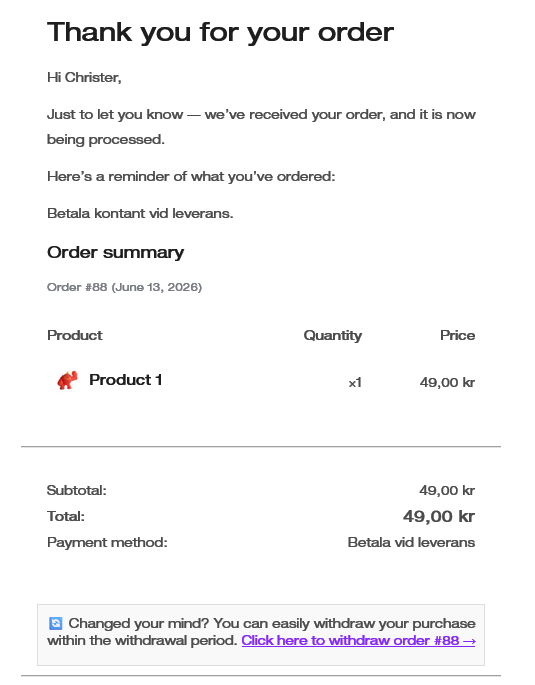
| Link in order emails | Yes | Yes |
| Footer link (optional) | Yes | Yes |
| Merchant workflow (order list, refund shortcut, close after refund) | Yes | Yes |
| Statistics/overview in admin | — | Yes |
| Partial withdrawal (select products) | — | Yes |
| Sticky bar (position, colors) | — | Yes |
| SMS receipt (46elks/Twilio) | — | Yes |
| PEPP 30 days | — | Yes |
| Extended period 12 months + 14 days | — | Yes |
| CSV export | — | Yes |
| Independent language choice (frontend/admin) | — | Yes |
See the pricing page for plans and the trial.
The free version requires no license and keeps working forever. Pro requires an active license or trial.
On Pro installation a license screen is shown on first activation. Paste the license key from your purchase confirmation email and click Activate License. The license and account are then managed via the menu under WooCommerce.
Everything is configured under WooCommerce → Settings (Withdrawal). The page is split into collapsible sections. Pro sections are marked with a Pro badge and collapsed by default on Free — expand when needed. License information is in its own section at the bottom, below the save button.
| Section | Description |
|---|---|
| Language (Pro) | Independent language for customer-facing pages and admin. Without Pro the plugin follows the site language. |
| Notification address | Email address that receives notifications about new withdrawal cases. |
| Customer contact | Contact person, email, phone, and opening hours — shown to customers in forms and emails (the EU human-contact requirement). |
| Withdrawal periods (Pro) | Category slug for PEPP products (30-day period) and extended period per order. |
| Automatic order handling | Which order status an order receives when a case is approved (e.g. Cancelled or Refunded). Note: the status change does not move any money — the actual refund is made on the order page through your payment provider. |
| Customer entry points | Optional footer link (Free). See Customer entry points. |
| Sticky bar (Pro) | Fixed link at the top or bottom of the storefront, with custom text and colors. See Customer entry points. |
| SMS notifications (Pro) | Provider (46elks/Twilio), sender, country code, and when to send SMS. |
| Shortcodes / Guest form | Shortcode reference and link to the «Withdraw purchase» page. |
| License | Link to the Freemius account for activating and managing the Pro license. |
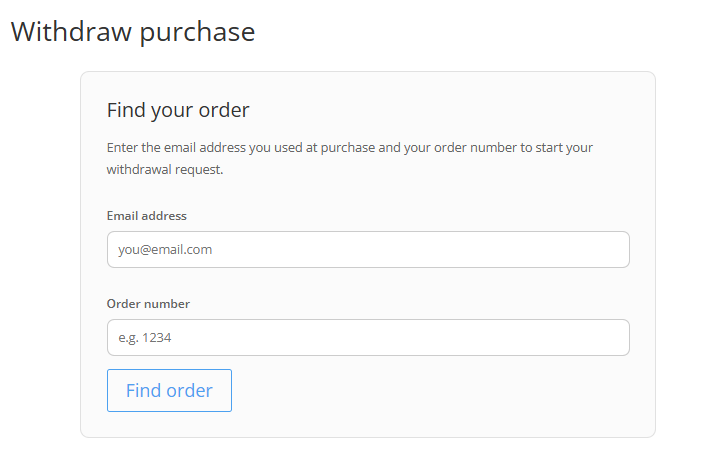
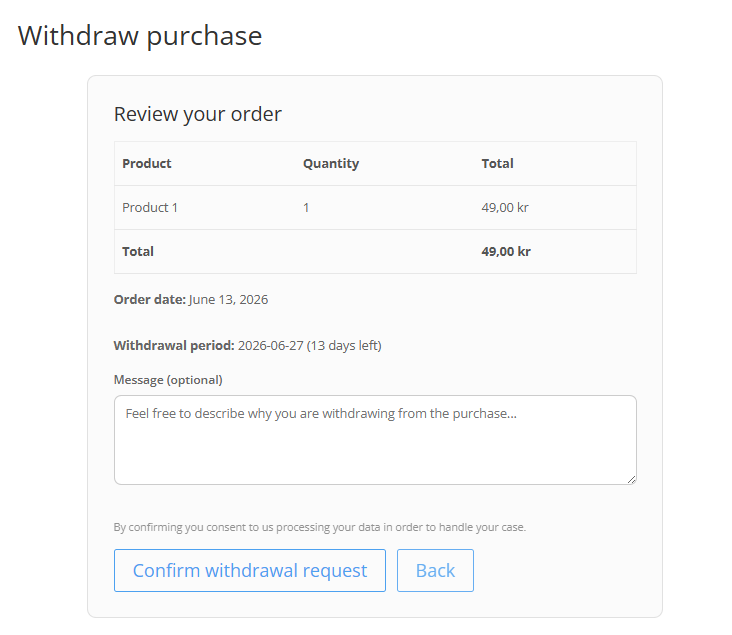
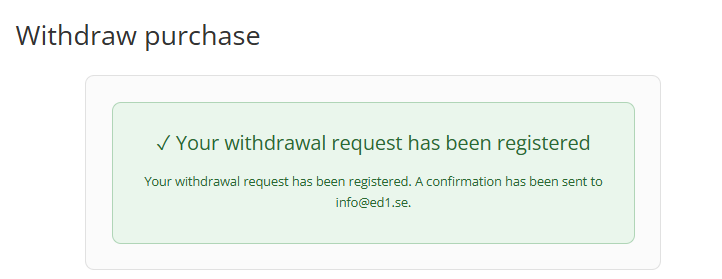
Besides the My Account button and guest form, you can guide customers to the withdrawal flow in several places:


| Type | Period | Condition |
|---|---|---|
| Standard | 14 days | Most products — included in Free |
| PEPP | 30 days | Pro — product in the configured PEPP category |
| Extended | 12 months + 14 days | Pro — enabled manually per order |
The period is counted from the delivery date (order completed), or the order date if no delivery date exists. The extended period is toggled in the order's Right of withdrawal meta box (Pro).
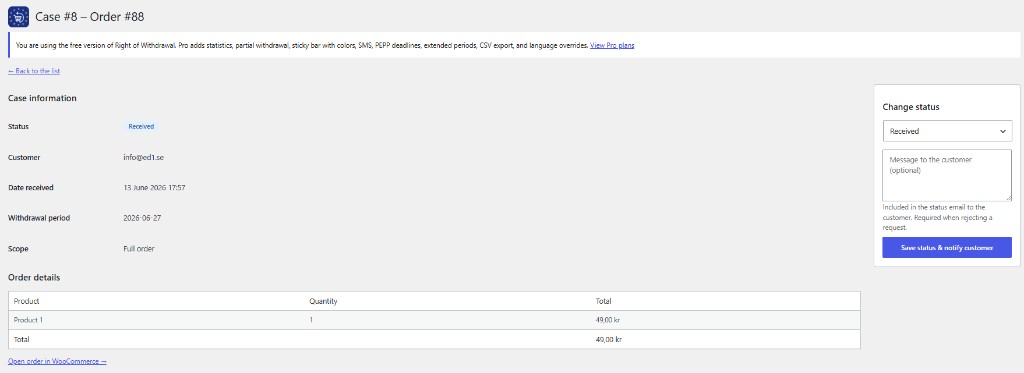
Manage all cases under WooCommerce → Right of withdrawal. With Pro, a statistics overview is shown at the top (cases by status, recent period). Status flow: Received → In progress → Approved / Rejected → Closed.
SMS requires an active Pro license. It is an accepted durable medium under the directive and can complement the email receipt. Two providers are supported:
A default country code (e.g. +46) converts national numbers to international format. Test your credentials with the "Send test SMS" button in the settings.
| Shortcode | Description |
|---|---|
[arw_guest_form] | The withdrawal form — guest flow for logged-out visitors, account flow for logged-in customers. Added automatically to the "Withdraw purchase" page on installation. |
[arw_withdrawal_link text="..."] | Link to the withdrawal page, with optional link text via the text attribute. |
Without Pro the plugin follows the site language (Settings → General). English is the source language, and ready-made translations are included for Swedish, French, German, and Spanish.
With Pro you can choose languages independently for customer-facing pages and admin under Settings (Withdrawal) → Language. Logged-in customers' emails are sent in their profile language; guest messages follow the chosen frontend language (or the site language if none is selected).